To sell a batch of animals, proceed as follows:
1.Go to the Herd Manager main menu and click on Batch Manager
2.Define the list of animals to be sold by typing in a list of animal IDs, applying a filter or selecting from the main list box
3.Click the Record Event button and then the Batch Sale button
4.Complete the detail of the sale and tick the Register box if you want to report the "Off" movements to BCMS/APHIS
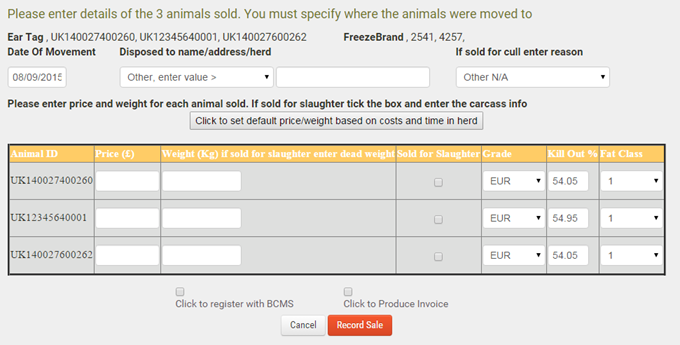
Note: If you are notifying the movements to BCMS/APHIS, you should log back into your FarmWizard account within 24 hours to check that the movement records have been validated and accepted by the Government database.
