To produce a list of animals nearing 30 months of age, proceed as follows:
1.Go to Reports > Rule Reports > Animals
2.Select the required columns by ticking the boxes, but include the DOB and Age column options
3.Set the State drop-down to "Live" and enter the required Age Mths range e.g. 27 & 30
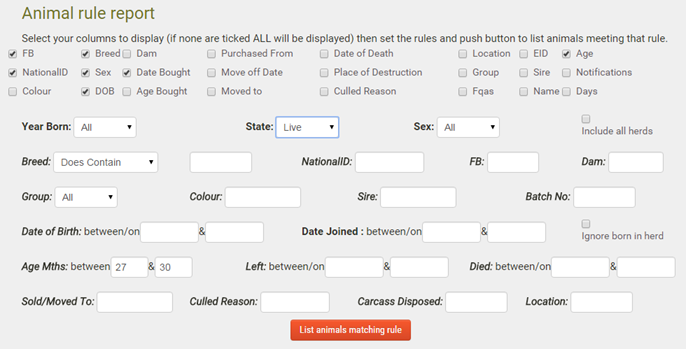
4.Optionally, tick "Include all herds"
5.Click List animals matching rule
6.When the report grid displays, click on the Date of Birth column heading to sort the records into age order
7.If you want to print the report, click Create PDF. Once the file has downloaded, the file can be printed from any software that can open a PDF file e.g. the free Adobe Reader
