To produce a customised list of animals to print as hard copy or to download as a spreadsheet, proceed as follows:
1.Go to the Reports main menu and click on Animals under the Rule Reports sub menu
2.On the following screen tick the required boxes to select the columns that will display on the report
3.Use the drop down boxes and text boxes to define the list of animals for the report; for example, if you want to produce a list of animals currently on the holding, select "Live" in the State drop down list
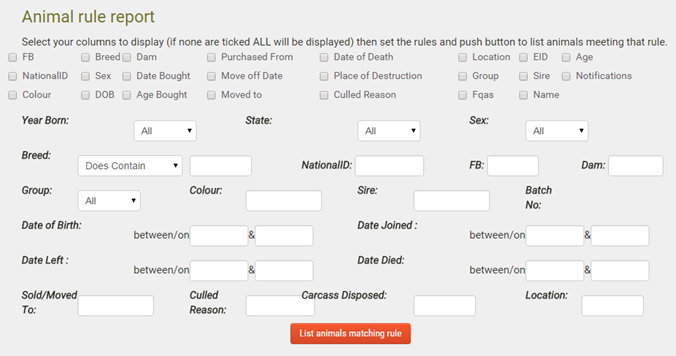
4.Click List animals matching rule
5.You can download the report in spreadsheet format or click PDF to download the report for printing
Tip: if you want to download and print a worksheet-style report with space for recording notes, use the Notifications tick box
