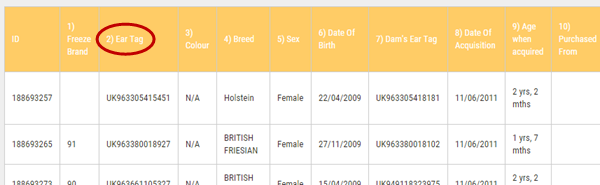
There are two main options for producing the Herd Register Report.
The "Rolling" Herd Register
This report will display a timeline list of movements into and out of the herd over the past 12 months. You can download the information in spreadsheet (Excel XLS or CSV) or PDF format.
To run the report, go to the Herd Manager main menu and click Herd Register under the QA Reporting sub menu.
Design a Custom Report
You can design a custom report to only show a segment of the Herd Register. To produce the custom report, proceed as follows
1.Go to the Herd Manager main menu and click on Design Report under the QA Reporting sub menu
2.Set the required date range
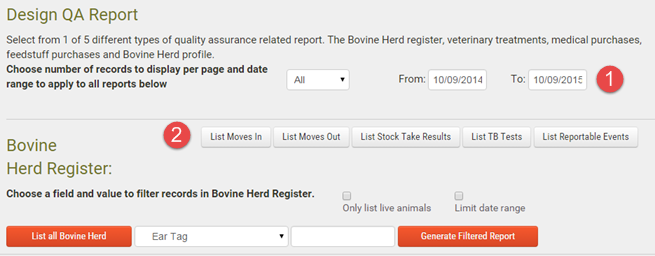
|
Select the From and To date range |
|
Report option buttons |


3.If you only want to show live animals, tick the Only list live animals box
4.Press the required button to run the report. The button options are:
oList Moves In
oList Moves Out
oList Reportable Events (Births, On and Off movements)
5.The report will display on screen with options to download in spreadsheet or PDF format. The sort order of the on screen report can be changed by clicking on the required column heading (shown below)