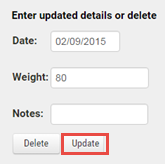
Individual animal weights can be amended after they have been saved. The process involves the following steps.
1.Go to the Reports main menu and click on Animal Performance under the Beef Performance sub menu. Select any required column headings or leave blank to include all columns on the report grid.
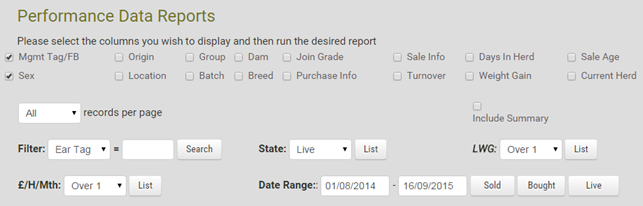
To find the required animal you can:
Either enter it's ear tag into the Filter value text box and click Search to view all it's recorded weights
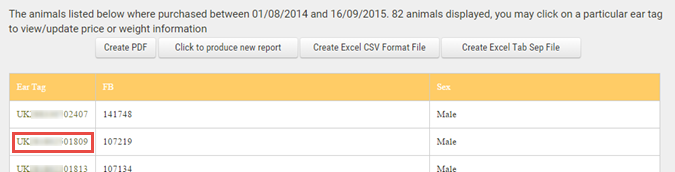
Or set a Date Range and click Sold, Bought or Live as appropriate to display all animals meeting the specified criteria. Click on the required ear tag in the report grid (see below)
2.Click on the required weight, edit as required and click the Update button to save the change