Amending animal detail records
If you need to amend one or more animal identity records after it has been saved, follow one of these methods:
Amending a single animal record
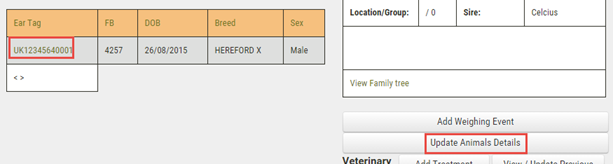
1.Go to the Herd Manager main menu and click on Herd List. Search or scroll to locate the required ear tag number
2.Click on the ear tag number in the list and then click on the Update Animal Details button to the right of the screen
3.You will now be able to edit the record, however you will be required to enter an update reason before the changes can be saved
Amending multiple animal records as a batch
It is also possible to amend animal identity records as a batch. This can be useful if you need to retrospectively enter management tag numbers for a group of animals.
1.Go to the Herd Manager main menu and click on Batch Manager
2.Using manual selection or filtering, define the list of animals that you wish to amend
3.Click the Click to Record Event button

4.On the following screen, click the Batch Update button
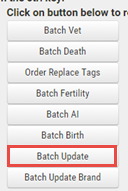
5.On the following screen, the details for each animal will be represented by a group of text boxes and drop down boxes. Edit the records as required for one or more animals
6.Scroll to the bottom of the screen and click the Update Animals button to save the changes