Logging in to FarmWizard
Open a website browsing program (Google Chrome recommended) and type the following website address into the browser address bar. The address bar is usually located at the top of the web browser window and may contain a website address like "http://www.somewebsite.com"
On the FarmWizard home page, click on the Members Login button

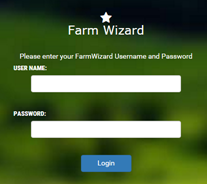
Enter your FarmWizard User ID and Password and click Login
Logging out of FarmWizard
When you have finishing working with your livestock data, you can log out of your account by simply closing the browser tab that contains the FarmWizard website  or you can completely close the Web browser program

